
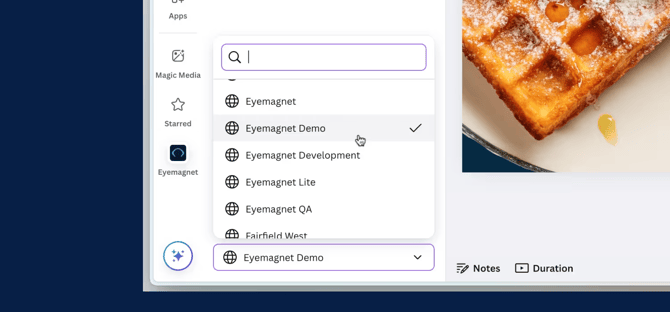
To switch between Teams, if you have access to multiple teams, follow these steps:
- Click the Team dropdown at the bottom of the Eyemagnet app in Canva.
- Select the team you wish to work with.
All subsequent imports and exports will apply to the selected team.
Note: This feature is only available if your account is linked to more than one team.
For more information on getting started, see Unlinking Your Eyemagnet Account from Canva.