
To use this guide, you will need a USB flash drive with at least 8GB of storage, formatted ineither FAT32 or NTFS.
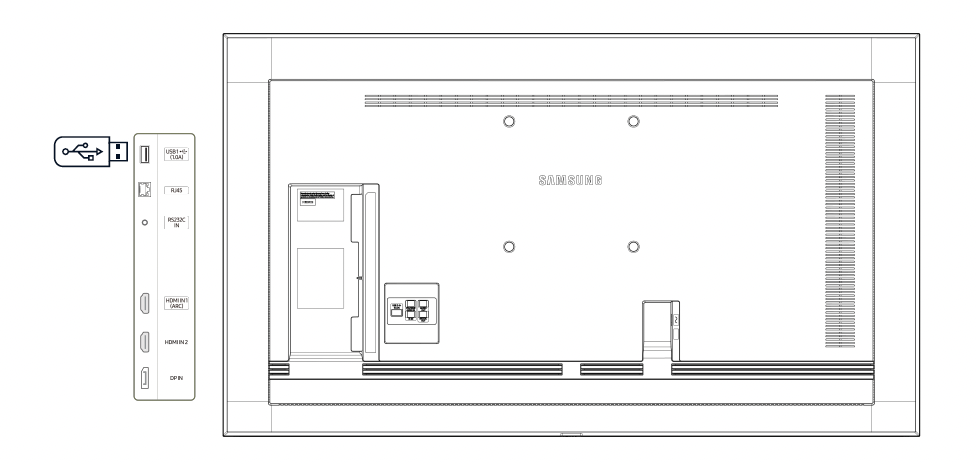
USB port Location
The diagram below shows the USB port location for most Samsung display products. Some products may have the port located elsewhere, details for this can be found on the respective product page of the Samsung display solutions website.
Updating Firmware
To update the firmware please ensure the new firmware has a higher version number than the firmware currently installed on the display. To prepare the firmware file, copy the provided upgrade.msd file into the root directory on the USB storage device.
To update the firmware :
- Plug the USB into the rear of the TV
- Press Menu on the remote control
- Navigate to Support
- Navigate to Software Update
- Select OK
If you have not been provided with a firmware update file, please contact Eyemagnet Support