One Day Schedule
This is the most common schedule: one Playlist is added to the Channel without time-of-day or day-of-week settings. The Playlist plays continuously, 24 hours a day, seven days a week.
One Day Schedule
with time schedule 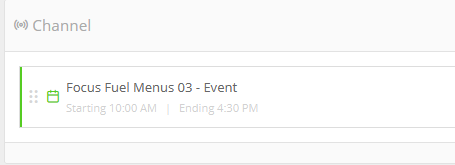
In this example, the Playlist is set to play between 10:00 am and 4:30 pm every day. Outside this time range, the Screen displays nothing and remains black.
If the text in the playlist schedule appears in yellow, the current time or day does not match the Playlist settings, so the Playlist is invalid at that moment. In the example above, the screenshot was taken between 10:00 am and 4:30 pm, so the Playlist is valid.
One Day schedule
with time/day schedule and fallback playlist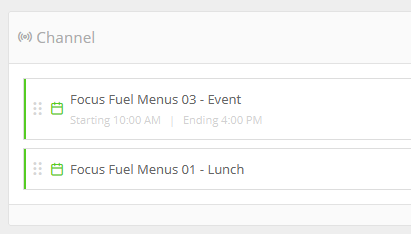
This configuration is similar to the example above, but also includes day-of-week settings. Channels follow a top-down priority order. In this example, the top Playlist plays from 10:00 am to 4:00 pm every Monday, Tuesday, and Wednesday. Outside those times, the second Playlist plays as the fallback.
Drop in multi-day playlist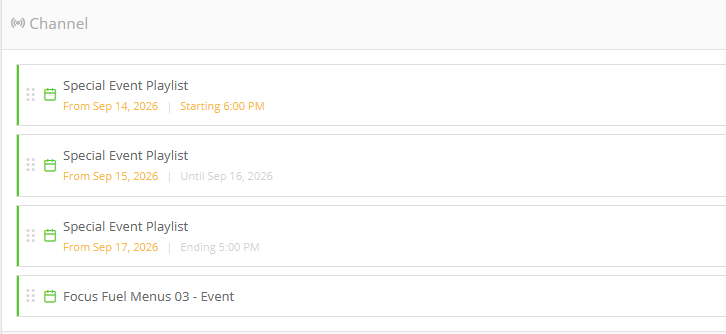
Use this configuration for a special event scheduled from 6:00 pm on 14 September until 5:00 pm on 17 September. The same Playlist is added to the Channel three times, with unique settings for each entry:
- The first entry plays from 6:00 pm on Day 1 (e.g., 14 September) until midnight.
- The second entry starts at midnight on Day 2 (e.g., 15 September), plays all day, and repeats throughout Day 3 (e.g., 16 September) until midnight.
- The third entry starts at midnight on Day 4 (e.g., 17 September) and plays until 5:00 pm.
After 5:00 pm on 17 September, the last entry continues to play, as shown in the calendar view. 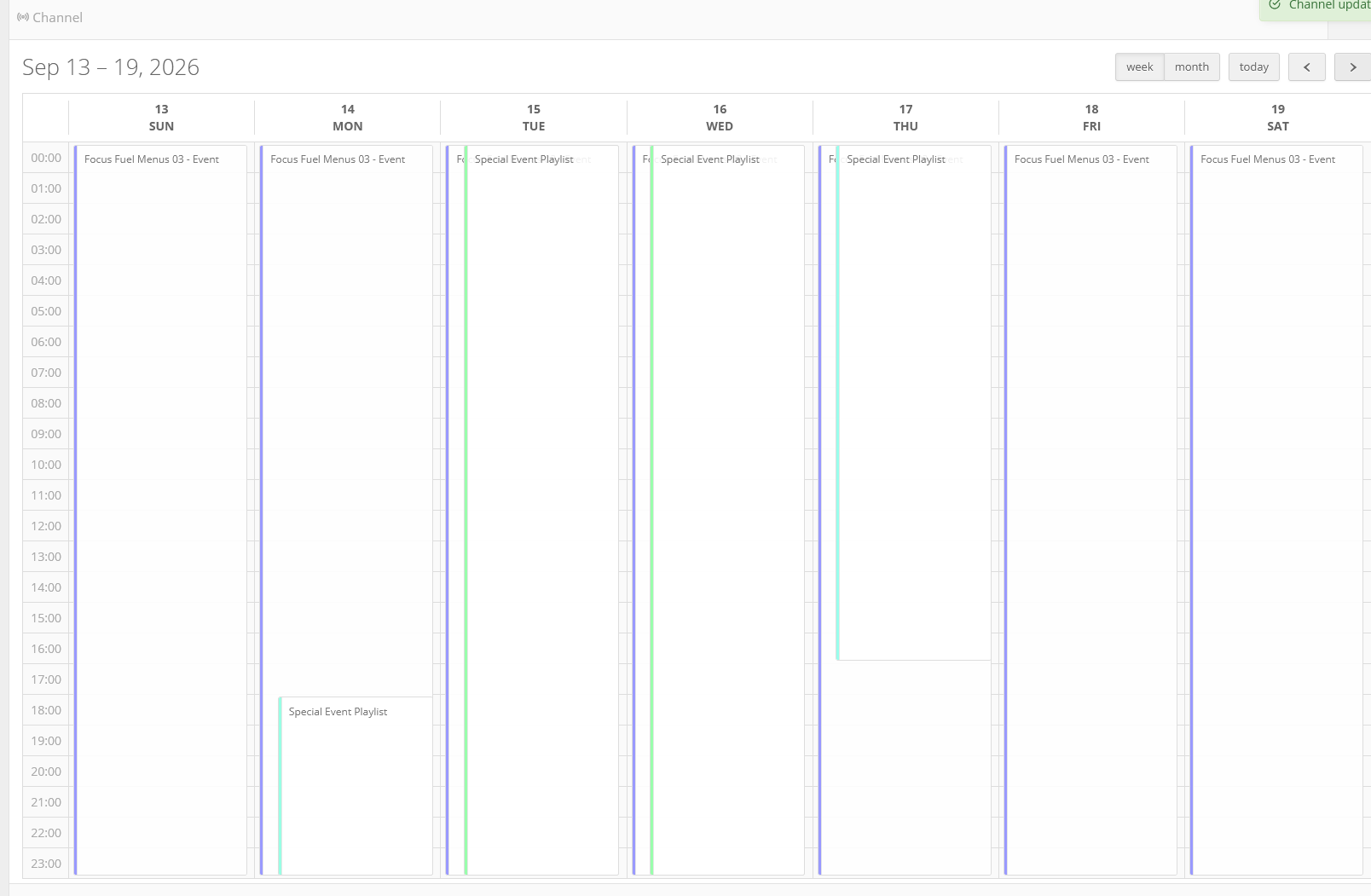
If you do not enter a time of day in the Playlist settings, the schedule defaults to the start of the day, 00:00, through to the end of the day, 23:59:59.
Cafe Playlist Example: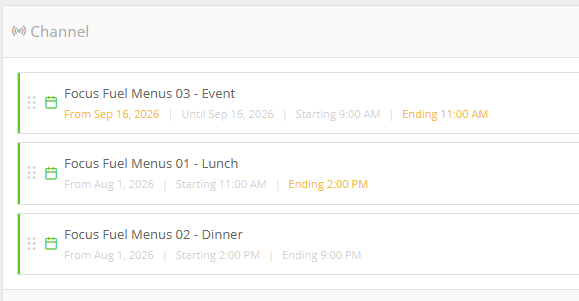
This example shows how you might schedule content in a cafe:
- The Lunch menu is embargoed until a set start date (e.g., 1 August) and plays every day from 11:00 am to 2:00 pm.
- The Dinner menu is also embargoed and plays every day from 2:00 pm to 9:00 pm.
- An event Playlist is scheduled for a specific date (e.g., 16 September). It is embargoed until that date, plays from 9:00 am to 11:00 am, and expires at the end of the day.
The event Playlist plays only on 16 September. This is also shown in the calendar view.