
It is important to consider the specifications of the display hardware and operating system when using Samsung SSP displays. Tailoring the transition of content to suit the display decoding settings enhances the visual result during playback of media files.
The Samsung SSP is configured to hold the last frame of the previous video while the following video is loaded for playback. If a transition or animation crosses between two video files, this may cause a visible stutter.
Video Transitions
The following best practices avoid video stuttering between transitions:
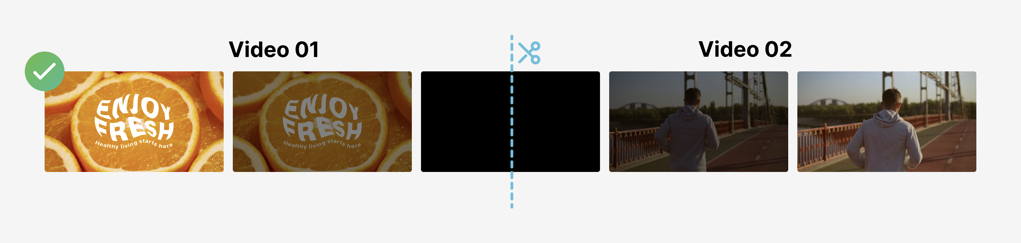
- Adding a fade to black or to a colour at the start and end of a video.
- Ensuring the final clip is static or has minimal movement.
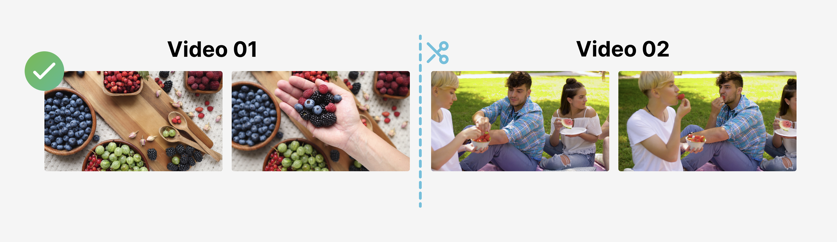
- Cutting the video at one of the existing transition points when you split a video into two parts. This will create an end to one video and the beginning of another.
- Avoiding fast-moving shots or panning at the end of a video.
- Avoiding videos that loop, unless it ends or starts with a frame that is static or has minimal movement.
Examples of an Optimal Practice Transition:
An Example of a Poor Transition:
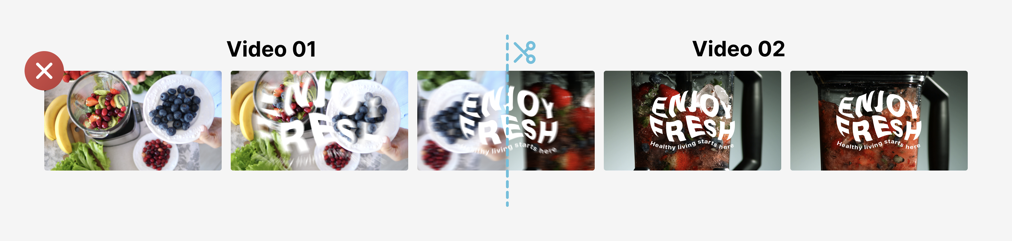
Image to Video Transitions
When transitioning from images to videos on the Samsung SSP platform, a small flash or pause can often be seen as the video buffer loads the next item. To avoid this, the following steps can be taken:
- Transcode the image into a 1 second .mp4 video file
- Adjust the duration in each playlist entry to the length of time you want the image to be visible for
Following these steps will ensure that no visible stutter is seen between playing an image and a video file.
When extending the duration of a video file in the Eyemagnet CMS the video file will pause on the last frame of the video for the remaining duration of that playlist entry.
For example, a 5 second video file set to play for 10 seconds, will pause on the last frame for an additional 5 seconds.