
If you only manage one Client Network, you will not be presented with this page during the login process.
What is a Client Network?
A Client Network is an account group that is used to store, manage and distribute your media across one or more digital signage locations.

Managing multiple Client Networks
Once you have logged in to the CMS, you will be presented with a list of client networks to choose from. Select the Client Network you want to administer.
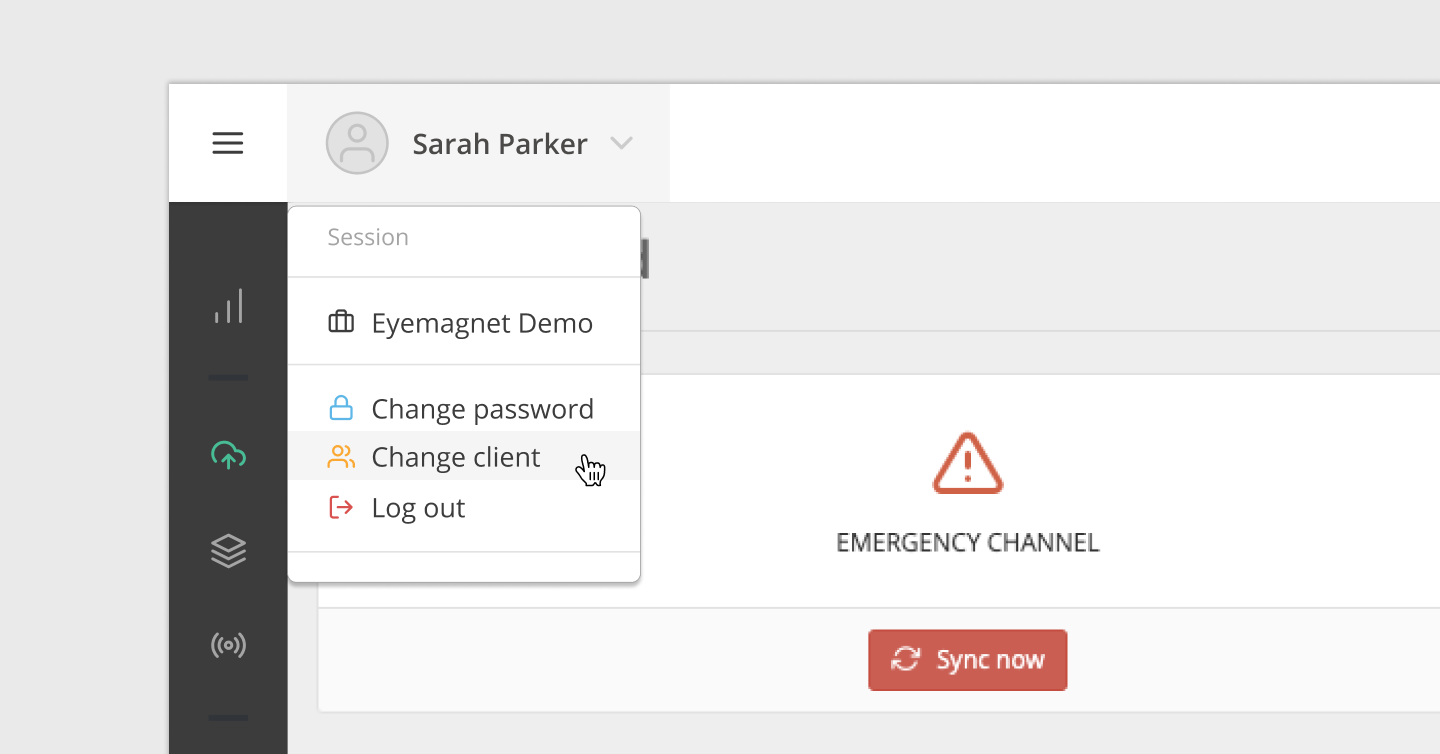
Change Client Networks
To change Client Networks after you’ve logged in:
- Select the Account dropdown on the left-hand side of the navigation bar.
- Click on the Change Client link.
- The browser will return you to the Client Network selection list and you’ll be able to choose a new Client Network from the list.